Image Browser
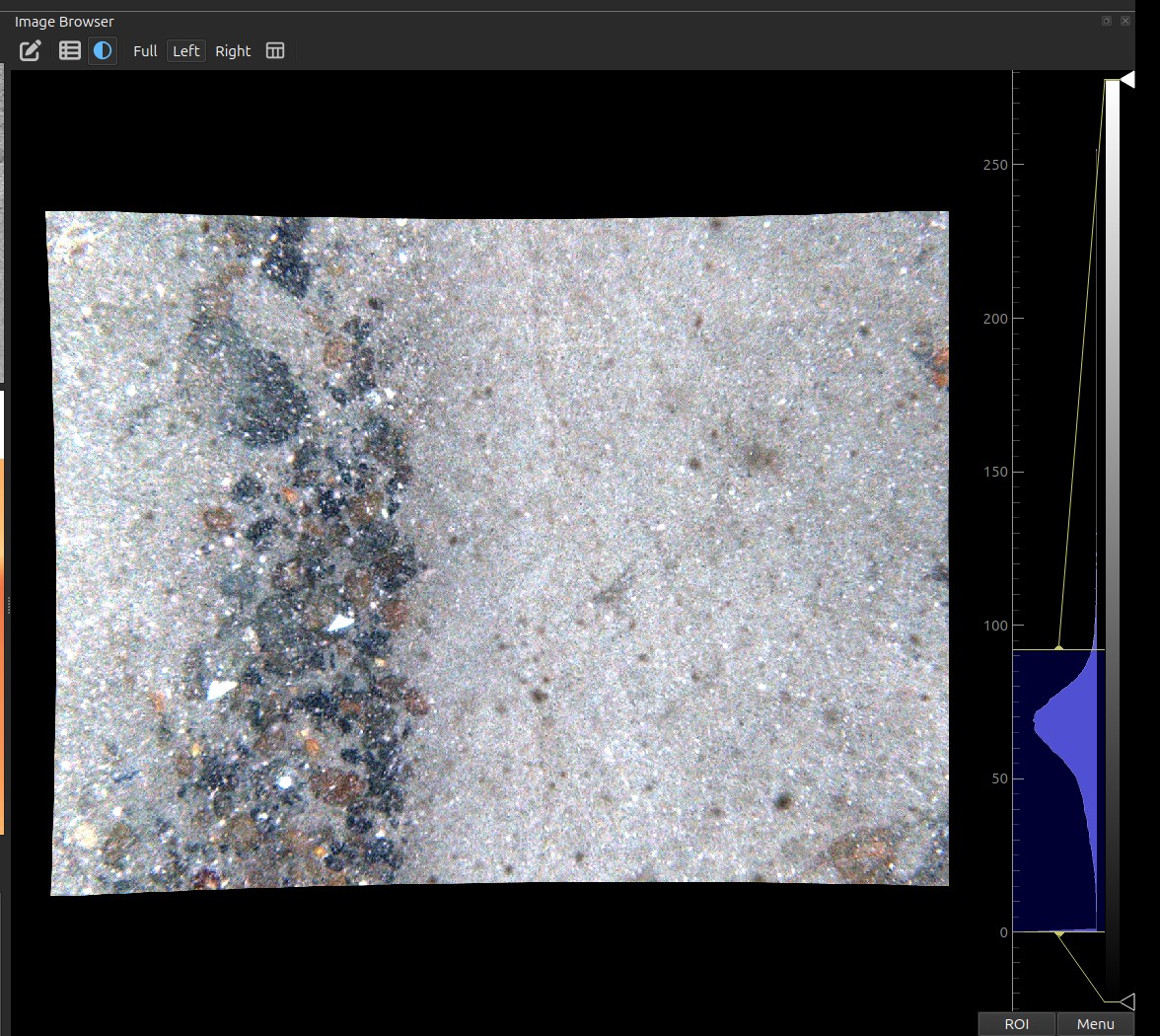
Browse large collections of georeferenced seafloor images spatially and by index, with the map and the imagery kept in sync.
What it does
- Loads a per-image metadata table (Parquet) and builds a spatial index (KD-tree) over the image positions, so the nearest image to any location is found instantly.
- Displays the current image in a fast
pyqtgraphviewer with an LRU cache for smooth back-and-forth navigation. - Shows a metadata panel listing every column of the metadata table for the current image (position, depth, altimeter, field-of-view, mm/pixel, salinity/temperature, …) plus its acquisition time — so extra columns of your own appear automatically.
- Overlays bounding-box annotations (e.g. detector output) with a tunable confidence threshold.
How to use
- Navigate with the forward/back buttons, the index slider, or the index spin-box; the step control sets how many images each press advances.
The slider is in its own panel, behind its own toolbar button
The index slider, spin-box, step and zoom-to controls live in a separate QGIS panel titled Image Index, which starts hidden. It has its own toolbar button — Show / hide the Image Index navigator — next to the Image Browser one, and the two are independent: showing the browser does not show the navigator. If the image is displayed but you cannot find the controls to move between images, that second button is what you want.
- Click the map (image-query tool) to jump to the image nearest that point.
- Enable Zoom-to so the map recenters on each image as you browse. The zoom control is a map scale (1:N) — larger numbers zoom out — so it behaves the same whether your project is in metres or degrees.
- Adjust the annotation confidence spin-box to show/hide detections below a threshold.
Inputs (Settings → HabCam)
| Setting | What it is |
|---|---|
imagepath |
Folder of image files (JPEG). |
imagemetadata |
Per-image metadata table (Parquet) — must include image name, longitude, latitude (plus depth, FOV, etc.). |
imageannotation |
Optional CSV mapping image names to bounding boxes + species + confidence. |
Column-by-column: Image metadata · Annotation CSV.
Which position the marker uses
The marker sits on the calibrated USBL fix (Xutm + dx / Yutm + dy,
reprojected to WGS-84 at load), falling back to habcam_lon / habcam_lat
when those columns are absent. The same position drives the nearest-image
lookup, the KMZ export and the query builder's sampling centre, so all four
always coincide — see
Positioning.