Image & Video Annotation
Create and curate labelled observations on both still imagery and video frames — the optical "ground truth" that anchors the acoustic interpretation.
Image annotation
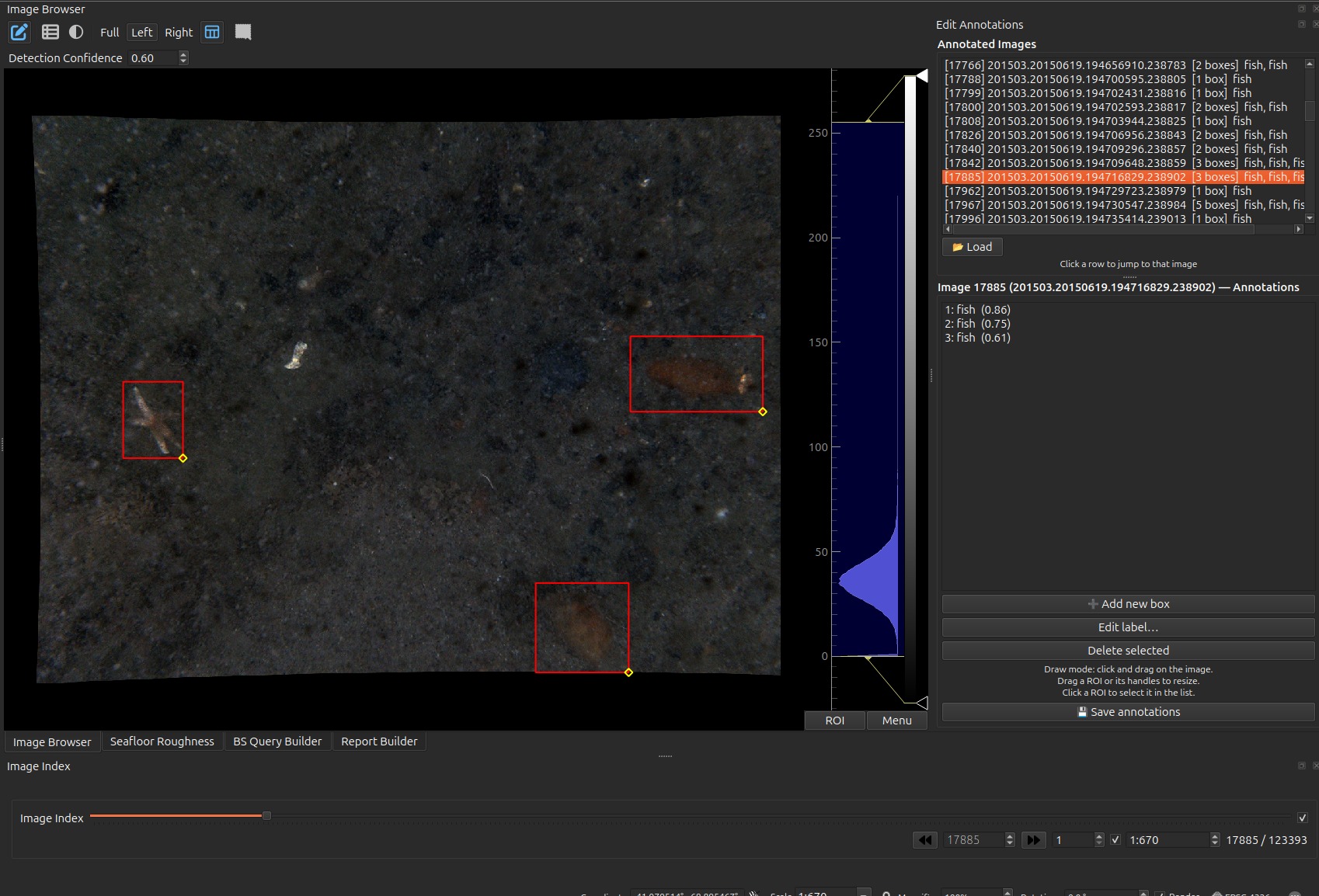
fish (0.86),
fish (0.75), fish (0.61). Note the last one against
the Detection Confidence of 0.60: raise the threshold by a hundredth and
that box disappears.- Draw a bounding box over a feature in the current image, assign a label and a confidence, and save it.
- Existing annotations (e.g. from an automated detector CSV) are shown as boxes; select one to edit its label/extent or delete it.
- A confidence threshold filters which annotations are displayed (shared with the Image Browser).
- Known labels are remembered to keep labelling consistent across images.
How to use: enter Add (draw) mode, drag a box on the image, pick/enter a label and confidence in the editor panel, and save. Click an existing box to re-select it for editing or deletion.
Video annotation
- Annotations are attached per frame: add / edit / delete boxes on the frame currently shown in the Video Player.
- Each annotation carries a label and confidence, mirroring the image workflow.
Annotation data
Image annotations come from / persist to the imageannotation CSV; video
annotations are keyed by frame index. Both feed the same labelled-observation
model used elsewhere in the plugin.
The two file formats are different and are documented column by column in Annotations & video — the image CSV is read positionally (column order matters, header names do not), the video CSV by header name.